Pay local, total at home.
Enter what you paid in the local currency. See your totals in your home currency.
Currencies, trips, projects, maps, reports, and the details that help you keep your records organized.
Enter what you paid in the local currency. See your totals in your home currency.
Track Daily Living apart from Hanoi, Lisbon, Tokyo, or wherever's next. Each trip gets its own cap, map, report, and history.
Keep a renovation, move, or major purchase outside your monthly spending. Add project categories, an optional budget, receipt photos, and a PDF report.
Track days in a country or country group with custom limits, a Schengen preset, and an optional visa-expiry countdown. Estimates use the days you track, including manual entries; they are not visa or legal advice.
Choose the numbers you care about, daily spend, budget left, income, savings rate, top category, trends, then drag them into the order you want.
Pensions, salary, freelance, transfers, rent, dividends. Track what comes in next to what goes out, so your real cash flow sits in one place.
Optional location tags show where your money went. Leave them off if you prefer. Export reports and CSV files whenever you want them.
Your data stays on your iPhone unless you export it. No login, no cloud, no ad tracking, and no recurring fees. Read the privacy policy.
Tag a transaction with where it happened, the café, the market, the hotel, by searching the name. It's optional, and only the words you type are ever sent, never your spending.
Coming from another app or a spreadsheet? Import a CSV and match its columns to NomadMetrics in a few taps, so your past months come along for the ride.
Attach a photo to any expense for your own records. No scanning, no AI reading it, just your receipt stored privately on your iPhone.
Tap a screen to enlarge it. The homepage gallery shows expenses, trips, and projects.
Pick and reorder the cards that matter most: today, this week, budget left, top spending, income, and more.
Off by default. Turn on location tagging to see your travel spending plotted by place.
Income, expenses, extra income, savings rate, and how the month moved, without opening a spreadsheet.
Keep an eye on days used and days remaining for a country or group of countries, with a Schengen preset and an optional visa-expiry countdown. Estimates are based on the days you track.
NomadMetrics follows your iPhone's appearance, or you can lock it to light or dark. Same fast entry, same clear numbers, easier on the eyes at night.
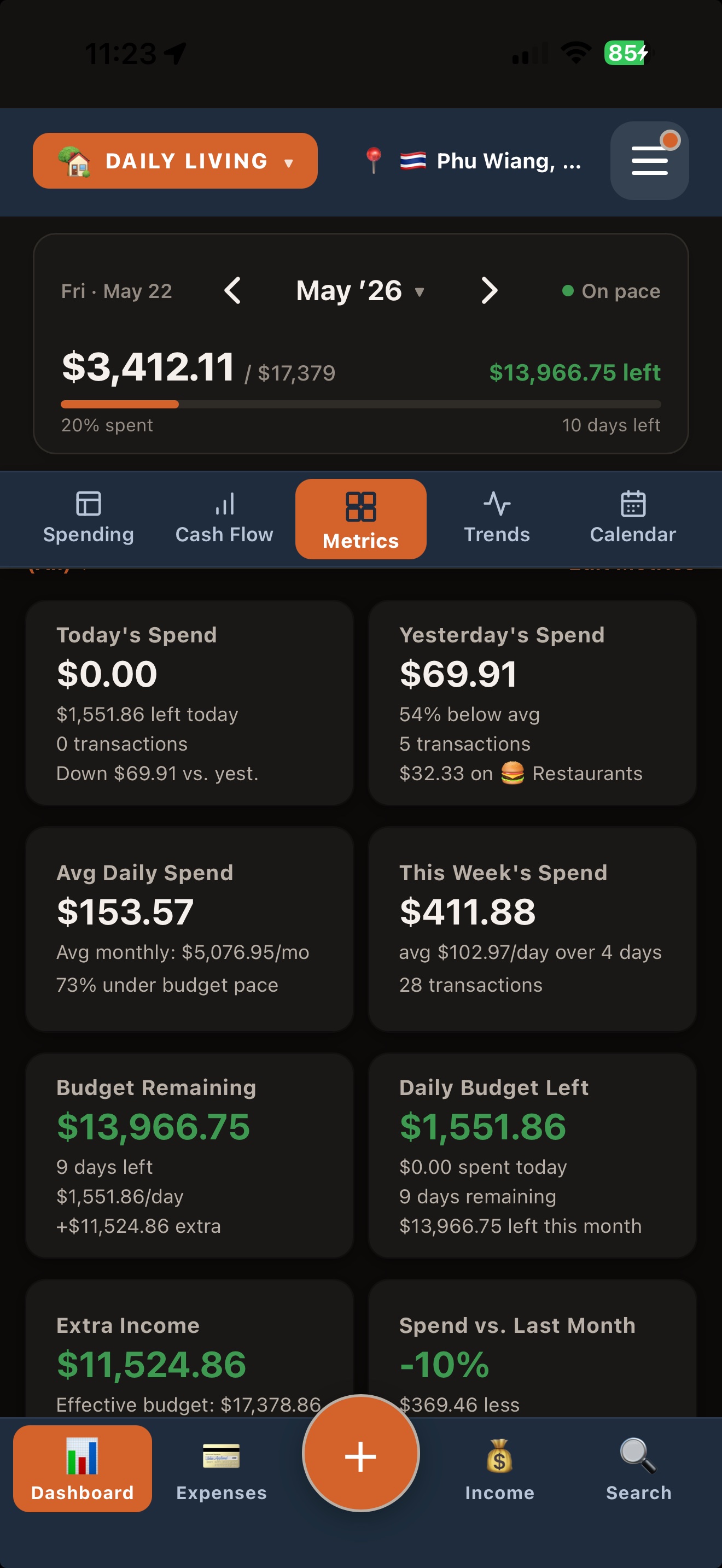
Metrics, at a glance
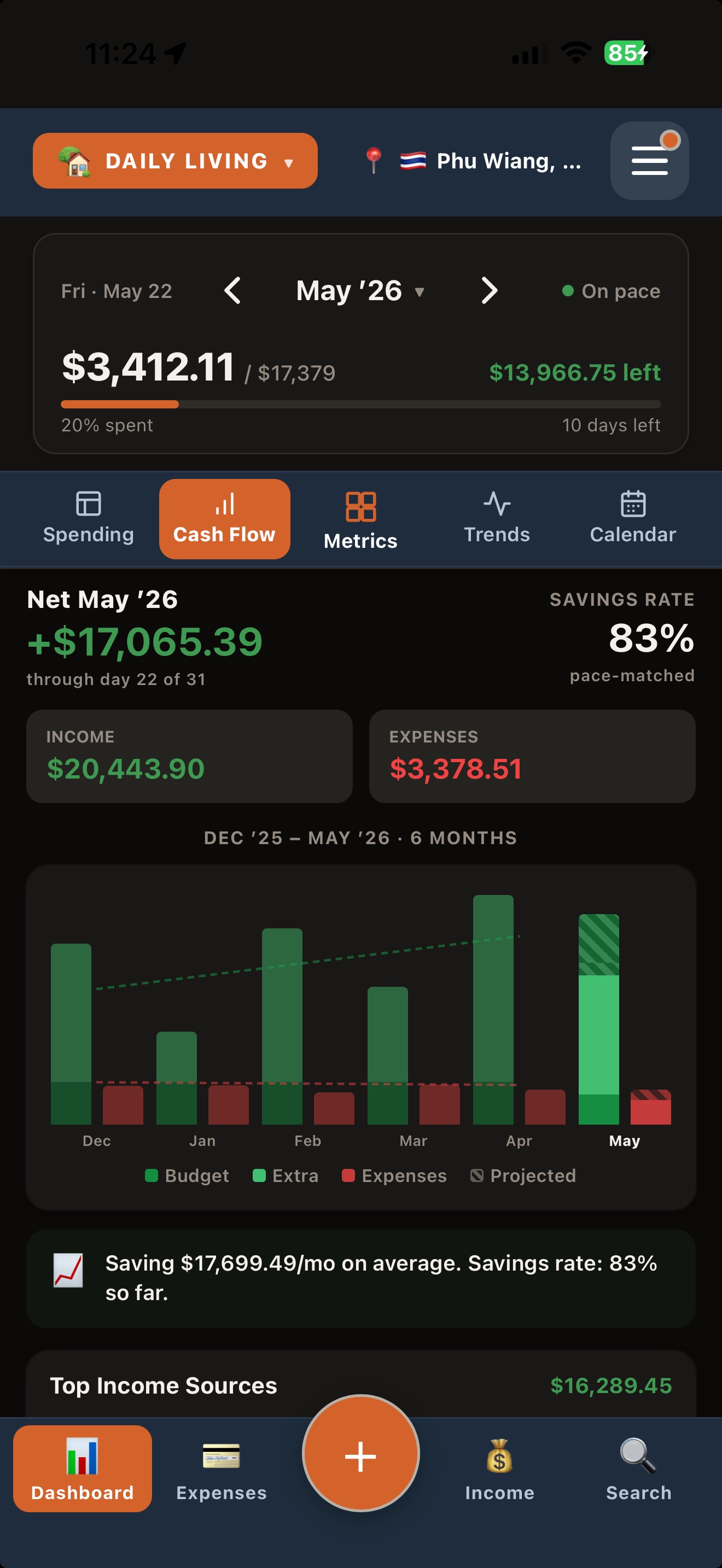
Cash flow, six months
Choose the metric cards that matter to you and drag them into the order you want.
Then US$4.99 once for the Full Version in the US App Store. Prices vary by country or region. No subscription.
Download on the App Store